Your first Litbuy order, step by step
Start with a category on QC Notes, open a product’s details, then continue on Litbuy. These eight illustrated steps take you through registration, buying, warehouse QC and shipping.
Real Litbuy registration/product screenshots from 13 October 2026 and official tutorial examples. Original English labels remain in the images. Products, prices and account details are examples, not your order; check the current interface and charges.
Create or sign in to your account
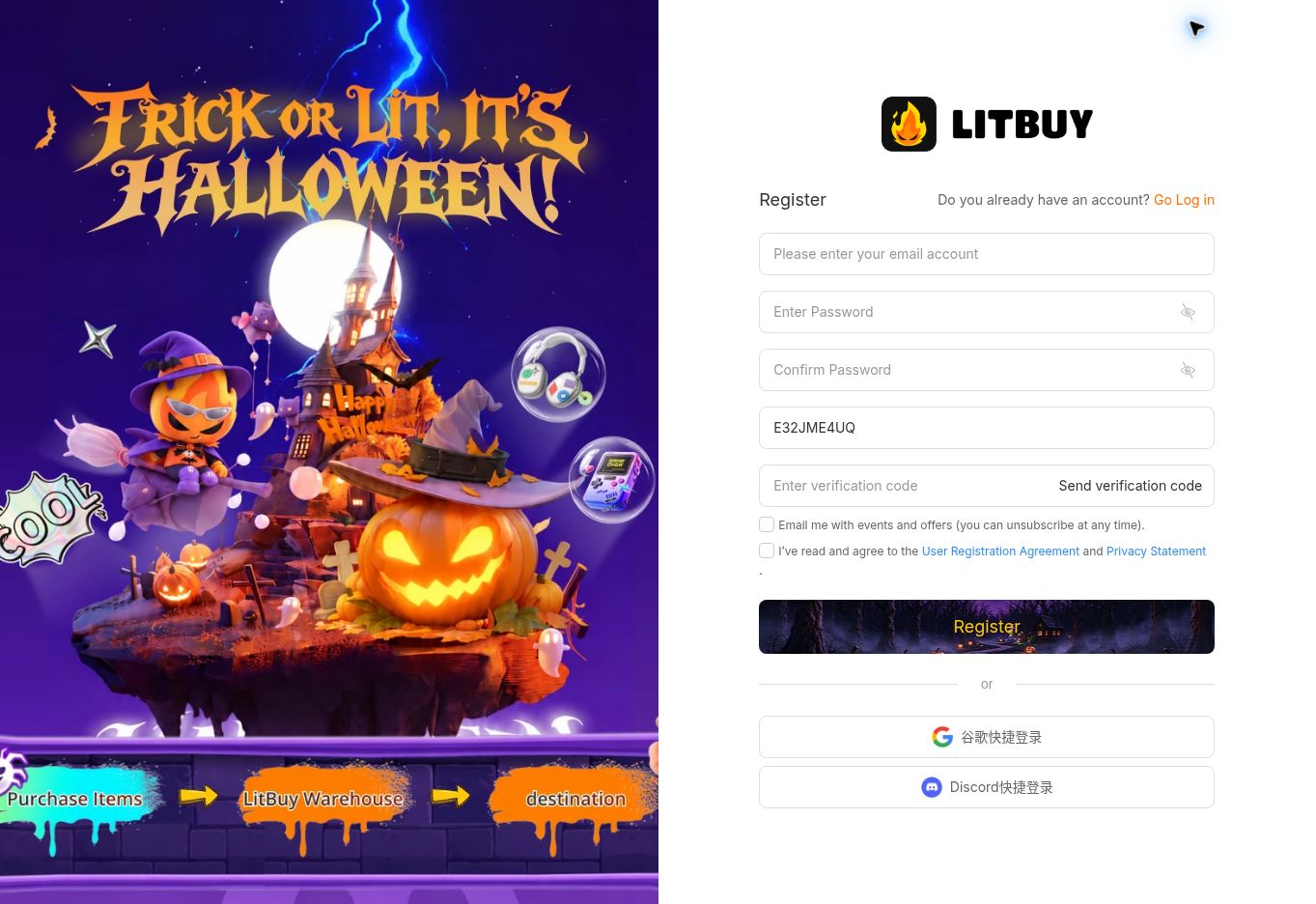
- Use Join Litbuy in our navigation. On the registration screen, enter your email, create and confirm a password, request the verification code and enter it. Review the required agreements, then select Register. Existing users can choose Log in.
- The invitation field can show E32JME4UQ from this site’s link. Registration creates an account; it does not place an order or reserve an item.
Open a product and select its options
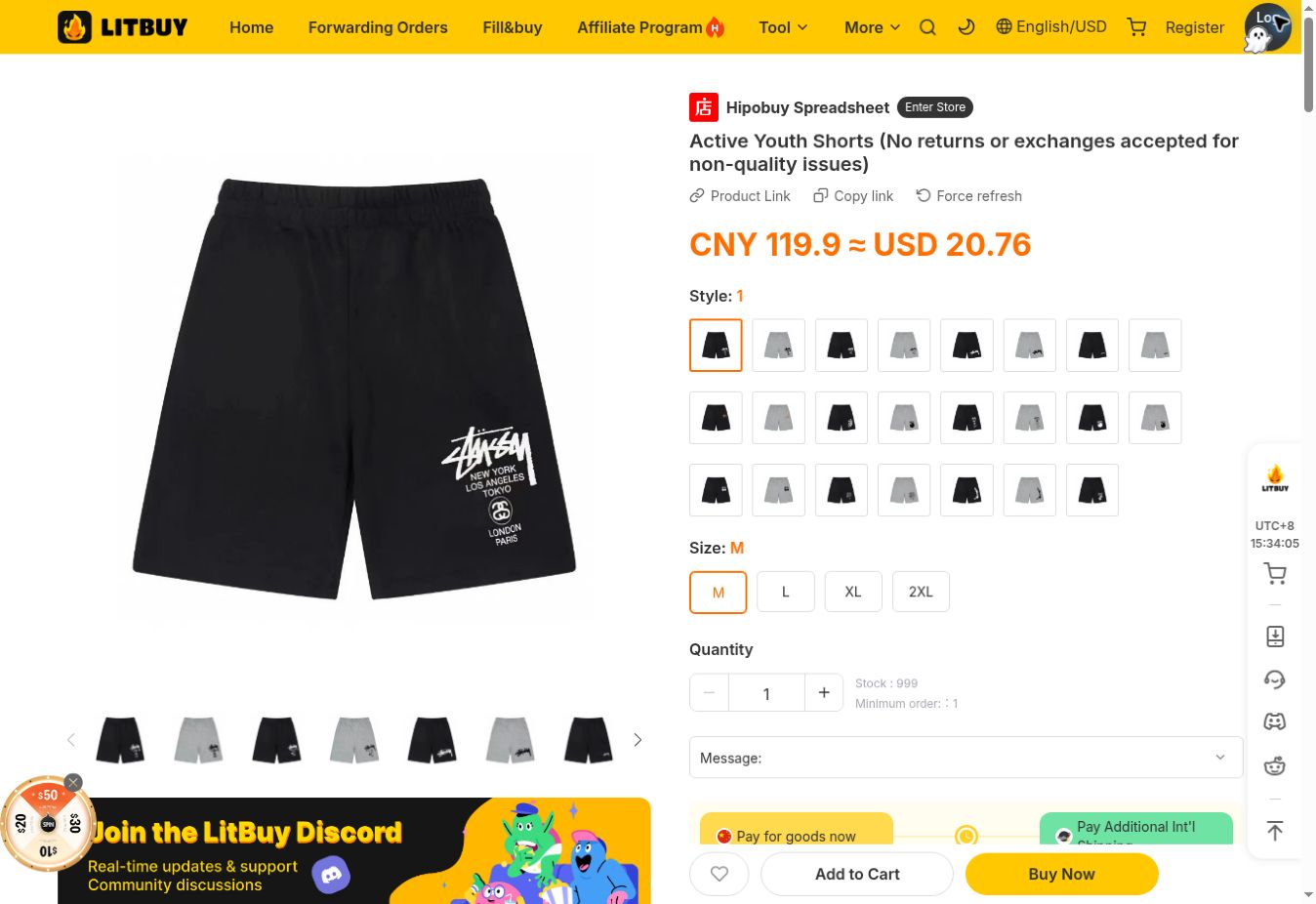
- On QC Notes, choose a category and open a product’s detail page. Review its item ID and reference photos, then select View on Litbuy. On Litbuy, select Style, Size and Quantity before choosing Add to Cart or Buy Now.
- Compare actual measurements with a garment that fits. Check that the destination item matches your selection. The shorts in this screenshot illustrate the controls and are not a recommendation or a fixed-price offer.
Review the order and pay for the items
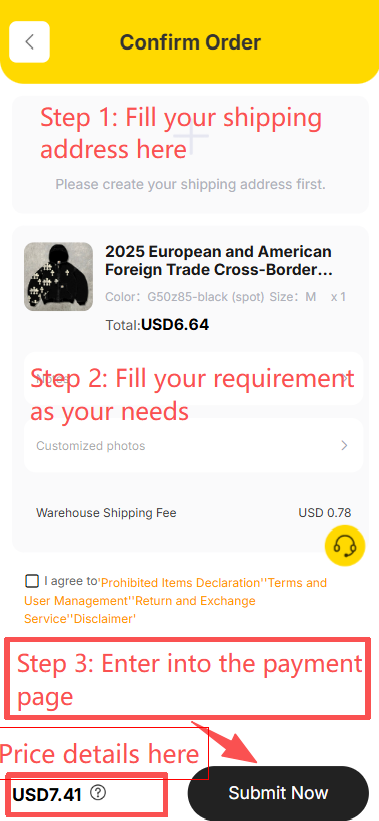
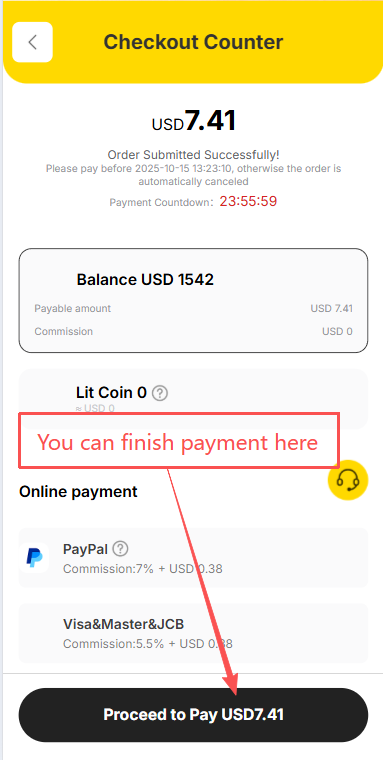
- On Confirm Order, fill in the requested address, check the variant and quantity, and review domestic delivery and optional services. Submit only when the details are correct. On Checkout Counter, choose an available payment method and review the full amount before Proceed to Pay.
- This payment buys the items. International parcel shipping comes later. The saved subtotal on QC Notes is a reference, not the checkout amount; screenshot balances and payment fees are examples.
Follow the seller’s delivery to the warehouse
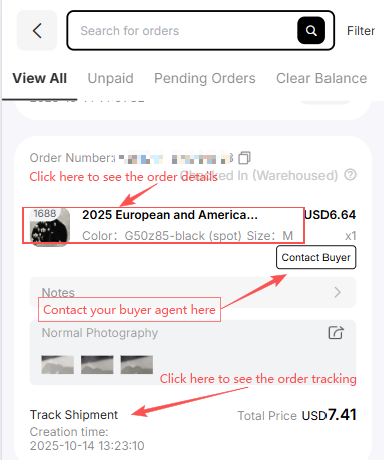
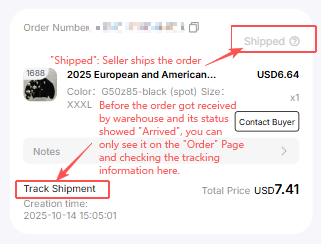
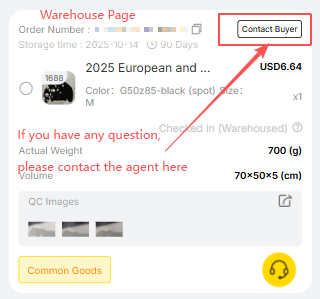
- Open Orders in your Litbuy account. Use the item row to open order details, Track Shipment to follow domestic delivery and Contact Buyer to ask the purchasing agent about an issue. Read any messages requiring confirmation.
- Shipped at this stage can mean the seller has sent the item to the warehouse. It does not mean international dispatch. Wait for warehouse storage and the QC photos for your own item.
Inspect your own warehouse QC photos
- Open Warehouse after your item is stored. Match the item, color, size and quantity to your order, then open QC Images. Check visible condition and measurements; use Contact Buyer to ask about missing views or discrepancies before shipping.
- The QC reference photos on this website are not your order’s inspection. Request any extra photos while the item is in the warehouse and check the price and applicable return terms before approving the next stage.
Select items and create your parcel
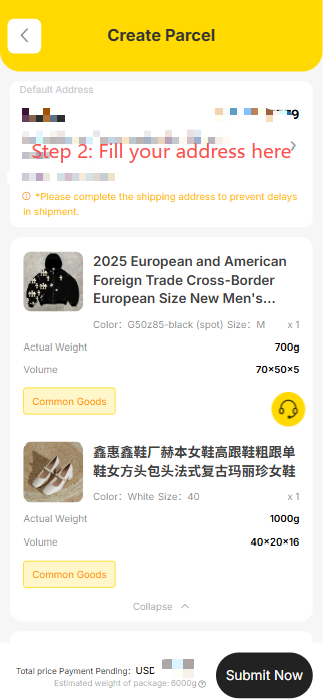
- In Warehouse, select the stored items you have checked and start Create Parcel. Confirm the recipient’s name, full address, postcode and contact information. Review the included items and packaging requirements before continuing.
- Combine items only when suitable for the chosen route. Accurate weight, dimensions, contents and destination affect the available services; selecting several items does not guarantee cheaper shipping.
Choose shipping and review the parcel payment
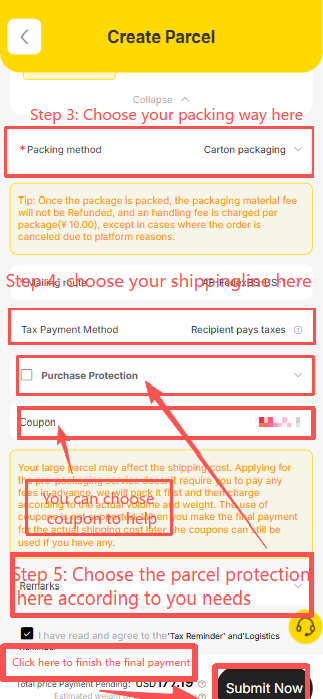
- On Create Parcel, review packing, route, tax-payment terms and any optional protection. Apply an eligible coupon if available. Check the final amount and the selected service’s conditions before submitting and paying for international shipping.
- Item payment and parcel payment are separate. Screenshot prices and fees are illustrative; use your account’s current quote, restrictions and any later adjustment after packing or final measurement.
Track delivery and confirm after receipt
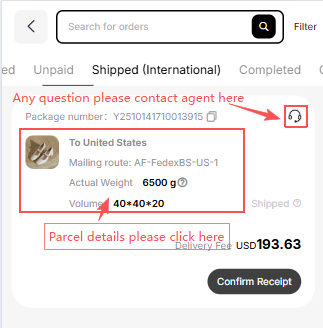
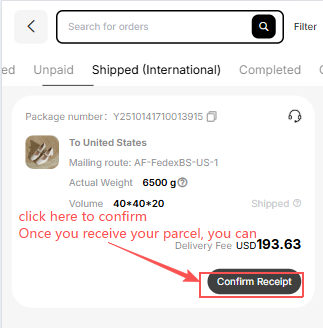
- Open the shipped parcel to see its details and tracking. Use the support icon for parcel questions. Once it arrives, check packaging, quantity, variants and visible condition before selecting Confirm Receipt.
- Keep photos and packaging if anything is missing or damaged, and contact parcel support promptly. A tracking number may exist before the carrier’s first scan; this guide does not promise a delivery date.